We will walk through device types, decision points, real world examples, and common pitfalls. Read on to learn straightforward ideas that caregivers and older adults can put into practice right away to increase daily safety and cut response times when seconds matter.
Expert Advice Emergency Alert Devices to Help Seniors Stay Safe
Experts who work with older adults often recommend combining a wearable alert with a home console and a communication plan. A wearable unit offers immediate access to help even when someone is away from home. A base station covers areas where a wearable might not connect and can include fall detection, voice response, and automatic alerting to a monitoring center.
When professionals evaluate a senior for a device, they look at mobility, memory, routine, living arrangements, and local emergency services. For someone with limited mobility who spends most time inside a house, a powerful base unit and well placed sensors may be most useful. For someone who takes frequent walks or lives in a senior housing community, a lightweight wearable with GPS and two way voice is often recommended.
Understanding different types of emergency alert devices
Not all alert devices are the same. Knowing the main categories helps families choose a system that matches daily life.
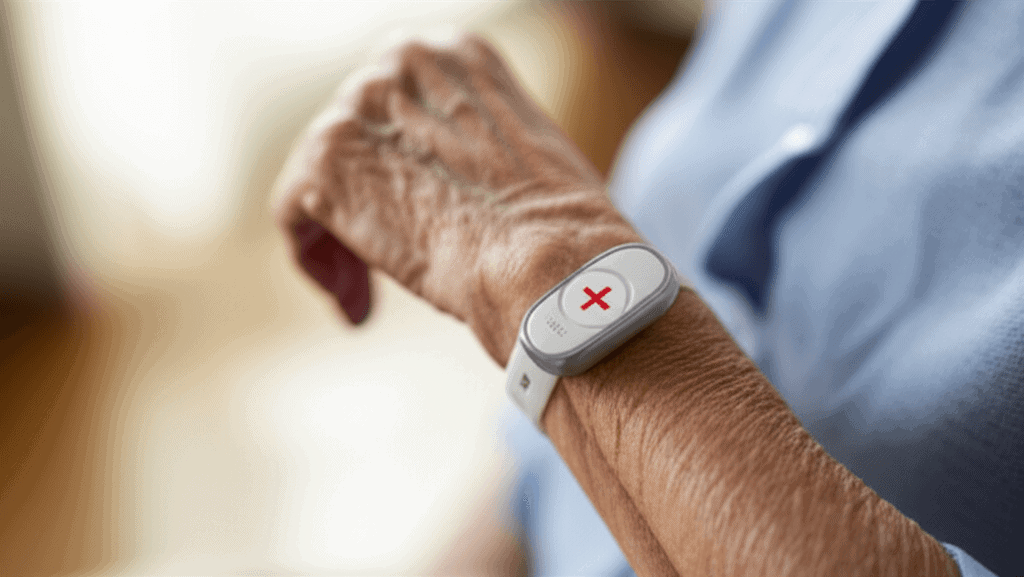
- Wearable pendants and wristbands that trigger a call when pressed
- Automatic fall detection that uses motion sensors to send an alert if a fall is detected
- Home base stations with speakerphone and cellular backup
- Mobile apps that provide GPS location and one touch calling on a smartphone
- Medical alert watches that combine timekeeping, reminders, and emergency alerts
Wearable devices explained
Wearables are popular because they stay with the person. Key features to compare include button size, battery life, water resistance, and whether the device has a two way speaker. If a senior has limited hand strength, a large pendant or a pull cord may be easier to use than a small button.
Home based units explained
Base stations are useful for covering rooms where signal from a wearable could be weak. Many models connect to a phone line or cellular network and include backup batteries. Place the unit where voice commands can be heard in common areas and test the speaker range during setup.
Choosing the right device for individual needs
Start with a short checklist. Does the person spend most time inside or outside the home? Are there memory concerns that might prevent them from using a button? What is the local cellular reception level? Answering these questions narrows choices quickly.
Consider the following practical criteria
- Mobility pattern whether they walk frequently or mostly stay inside
- Cognitive status whether they will remember to wear or charge the device
- Home layout long hallways, stairs, or multiple levels can affect signal
- Speed of local emergency services and whether the system has direct monitoring
- Battery life and the ease of recharging or replacing batteries
Installation and setup tips for seniors and caregivers
A smooth setup reduces the chance a device will sit unused. Simple steps at install time make daily use likely.
Step by step setup checklist
- Charge new devices fully before first use
- Program emergency contacts and verify they can receive calls or texts
- Place base units in central living spaces and test speaker reach
- Make a written cheat sheet with how to call for help and where the device is kept
- Set reminders for charging and periodic testing
Testing routine that families can follow
Run a full test call once a week and a quick button press test once every few days. During tests, confirm monitoring center agents or family contacts respond and that GPS location is accurate for mobile units. If a subscription includes monitoring, ask the provider about response time targets and how they contact local services.
Integrating alert devices with a broader safety plan
An alert device works best as part of a wider approach that covers medication routines, fall prevention, and communication. Combine device technology with home modifications such as grab bars, non slip mats, and good lighting to reduce the chance of an emergency in the first place. Create a short emergency plan that lists medical conditions, medications, allergies, and physician contact details to attach to the base unit or keep in a visible place.
For families seeking additional professional perspective, see resources that focus on practical equipment and usage recommendations such as senior safety solutions.
Cost, subscription models and insurance considerations
Prices vary widely. One time purchase models for basic pendants can be under one hundred dollars. Monitored services often charge monthly fees that range from about ten dollars to fifty dollars depending on the level of service, GPS, and fall detection capability. Some companies offer annual plans that reduce the monthly average.
Medicare typically does not pay for personal emergency response systems. Some Medicaid programs and local aging services may provide help with costs. Veterans may qualify for aid through VA programs. Before signing a contract, ask about trial periods, cancellation fees, and whether there is a short term contract or a month to month option. Read the fine print on automatic renewals and verify whether cellular service or landline connection is included.
Real world examples and practical scenarios
Example one a woman in her eighties living alone slipped in the kitchen at night. She was wearing a pendant with two way voice. After pressing the button, the monitoring agent spoke through the base unit and stayed on the line until emergency responders arrived. The quick call reduced time on the floor and limited complications.
Example two a man with early memory loss would often leave the house and become disoriented. A wrist worn unit with GPS allowed his son to track location and receive a notification when boundaries were crossed. A brief gentle conversation through the device calmed him and helped him return home with guidance from family.
These stories highlight that the device choice should match daily risks. If falls are the main concern, look for accurate fall detection and reliable two way voice. If wandering is a worry, GPS and boundary alerts are central.
Common mistakes to avoid when using emergency alert devices
Families often make similar missteps that reduce the usefulness of an alert system. Avoid these common errors.
- Putting a device in a drawer or forgetting to wear it
- Failing to test the unit regularly and not updating contact lists
- Choosing a device that relies on poor cellular coverage
- Ignoring small false alarms instead of reviewing settings with the provider
- Overlooking battery replacement or not setting a charging routine
Small changes such as a visible charging station, a checklist near the front door, and a monthly test date on a shared calendar can prevent many of these issues.
Deciding on the right device is a personal decision that should consider lifestyle and medical needs. Trial periods can be useful when available. Local senior centers and health professionals can offer feedback on brands and local response experiences.
Conclusion
Emergency alert devices are a practical layer of protection that can reduce response times and give older adults a greater degree of independence. By matching device features to an individual s mobility patterns and cognitive needs, testing systems regularly, and combining technology with home safety upgrades, families can lower risk and improve outcomes after an emergency. Costs vary, so research subscription terms and ask about trial periods before committing. Start with a short checklist of daily habits and set a routine for charging and testing to keep the device ready when it is needed most.
Taking action today can make a real difference. Talk with the senior in your life about preferences, schedule a test of any device before relying on it, and involve neighbors or nearby family members in the emergency plan. If you are unsure where to begin contact a local aging services office or health professional who can point you toward options that match the specific needs of your household. A small amount of planning now can reduce stress and improve safety for everyone involved. Choose a clear next step schedule a trial, place a test call, or visit a local equipment demo so you can see how a unit works in real settings and feel confident about the choice.